
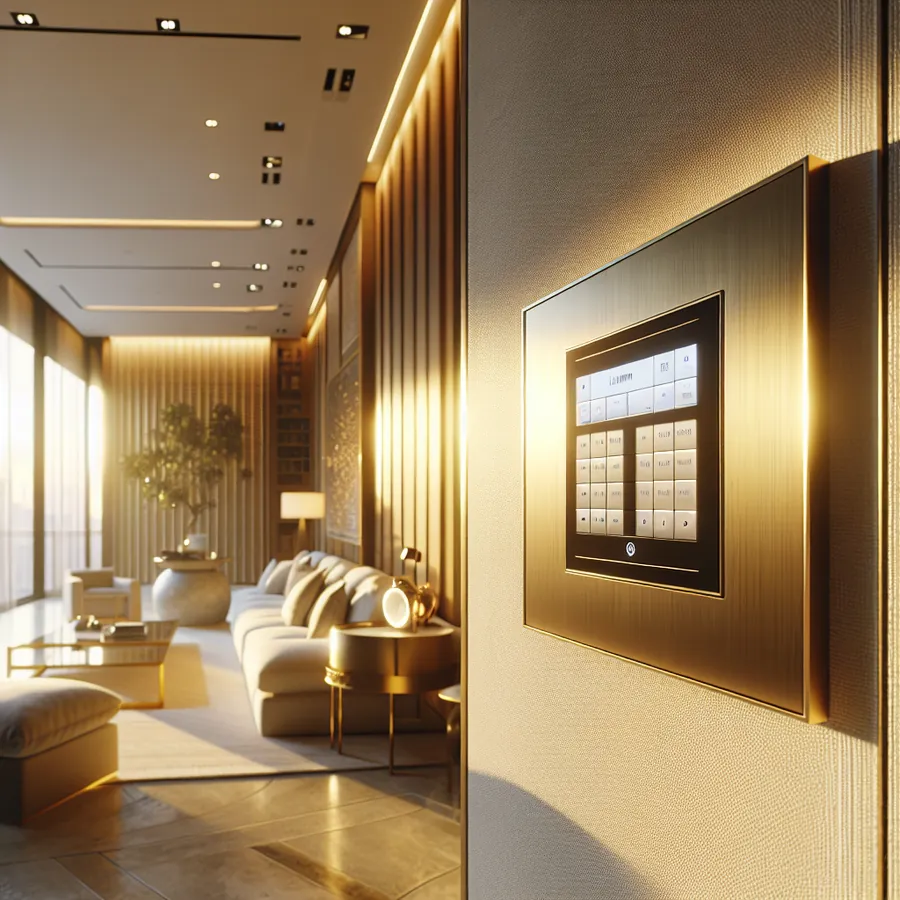
Best Lutron Keypads for High-End Smart Homes: The Definitive 2026 Guide
There's a moment in every luxury smart home project when you realize the wall controls matter just as much as the technology behind them. You've invested in premium lighting, motorized shades, and sophisticated automation—but if your family and guests are fumbling with clunky switches or pulling out phones to turn on a light, something has gone terribly wrong.
This is precisely why Lutron keypads have become the gold standard in high-end residential automation. They're not just switches; they're the physical interface between humans and intelligent homes. And choosing the right ones can mean the difference between a home that feels effortlessly luxurious and one that feels like a science experiment.
At IxomeAI, we've helped thousands of homeowners and integrators navigate these decisions. Today, we're sharing our comprehensive guide to selecting the perfect Lutron keypads for your premium smart home.
Why Lutron Dominates the Luxury Market
Before diving into specific models, it's worth understanding why Lutron has maintained its position at the top of the smart home hierarchy for decades. The answer lies in three pillars: reliability, aesthetics, and ecosystem depth.
Lutron's RadioRA 3 and HomeWorks QSX systems use proprietary Clear Connect RF technology, which operates on a dedicated frequency band that doesn't compete with your WiFi, Bluetooth, or Zigbee devices. This means your lights respond instantly, every single time—a non-negotiable requirement in homes where owners expect perfection.
The aesthetic options are equally impressive. From minimalist satin finishes to architectural-grade metal faceplates, Lutron offers customization that interior designers genuinely appreciate. These aren't afterthoughts bolted onto walls; they're design elements that complement your home's aesthetic vision.
Palladiom Keypads: The Pinnacle of Luxury
If budget isn't your primary constraint and you want the absolute finest wall controls available, Palladiom is your answer. These keypads feature solid metal construction with hand-finished surfaces that feel substantial and refined.
Key Features:
- Solid brass, stainless steel, or aluminum construction
- Capacitive touch buttons with haptic feedback
- Integrated ambient light sensors
- Available in 15+ premium finishes
- Compatible with HomeWorks QSX only
Palladiom keypads are particularly stunning in contemporary and transitional homes where clean lines and premium materials define the design language. The capacitive buttons eliminate mechanical wear, ensuring these keypads look and feel new for decades.
seeTouch Keypads: The Versatile Workhorse
For most high-end installations, seeTouch keypads offer the ideal balance of sophistication, functionality, and value. They're available across both RadioRA 3 and HomeWorks QSX platforms, making them incredibly versatile.
Key Features:
- Backlit engraved buttons for easy identification
- Available in 2-button through 10-button configurations
- Raise/lower buttons for dimming control
- 27 standard colors plus custom color matching
- Scene control with single-button activation
The engraving options deserve special attention. Custom text like "Good Morning," "Movie Time," or "Goodnight" transforms these from generic switches into intuitive scene controllers that anyone can use without training.
Alisse Wall Stations: Architectural Elegance
Alisse represents Lutron's answer to the ultra-minimalist design trend. These keypads feature a frameless glass design that sits nearly flush with the wall, creating an almost invisible presence.
Key Features:
- Frameless tempered glass design
- Capacitive touch with LED feedback
- Available in black or white glass
- Metal trim options in 8 finishes
- HomeWorks QSX compatible
Alisse keypads work beautifully in modern and contemporary spaces where traditional switch plates would feel out of place. They're particularly effective in media rooms and master suites where a clean aesthetic is paramount.
Compatibility Matrix: Choosing Your System
Selecting the right keypad requires understanding which Lutron system you're using. Here's a comprehensive compatibility breakdown:
| Keypad Model | RadioRA 3 | HomeWorks QSX | Caseta | RA2 Select |
|---|---|---|---|---|
| Palladiom | ❌ | ✅ | ❌ | ❌ |
| seeTouch | ✅ | ✅ | ❌ | ✅ |
| Alisse | ❌ | ✅ | ❌ | ❌ |
| Pico | ✅ | ✅ | ✅ | ✅ |
| Dalia | ❌ | ✅ | ❌ | ❌ |
System Selection Guide
| Home Size | Budget Range | Recommended System | Best Keypad Options |
|---|---|---|---|
| Under 4,000 sq ft | $15K-40K | RadioRA 3 | seeTouch, Pico |
| 4,000-8,000 sq ft | $40K-100K | RadioRA 3 or HomeWorks QSX | seeTouch, Alisse |
| Over 8,000 sq ft | $100K+ | HomeWorks QSX | Palladiom, Alisse, seeTouch |
| Multi-building estates | $200K+ | HomeWorks QSX | Full Palladiom suite |
Step-by-Step Integration Guide
Whether you're working with an integrator or tackling a DIY-friendly RadioRA 3 installation, understanding the integration process helps you make informed decisions.
Step 1: Define Your Scenes and Zones
Before selecting keypads, map out every lighting zone and the scenes you want to create. A typical master bedroom might include:
- All On: Full brightness for cleaning or getting ready
- Relax: Dimmed ambient lighting, accent lights on
- Reading: Bedside lights at 70%, others off
- Goodnight: All lights off, pathway lighting activated
This exercise determines how many buttons you need on each keypad. Our IxomeAI community thread on scene planning offers excellent templates from real installations.
Step 2: Select Keypad Configurations
With scenes defined, choose keypad configurations:
- Entry points: 4-6 button keypads for whole-home scenes
- Bedrooms: 4-button keypads with raise/lower
- Media rooms: 6-button keypads for complex scene control
- Bathrooms: 2-3 button keypads for simplicity
Step 3: Choose Finishes and Colors
Work with your interior designer to select finishes that complement your home. Lutron offers:
- Standard colors: 27 options from bright white to deep brown
- Architectural finishes: Satin brass, polished nickel, oil-rubbed bronze
- Custom color matching: Available for HomeWorks projects
Pro tip: Order physical samples before committing. Colors look different under various lighting conditions, and what appears perfect online might clash with your wall paint.
Step 4: Programming and Commissioning
For RadioRA 3, the Lutron app provides guided programming that most technically-inclined homeowners can handle. HomeWorks QSX requires professional programming through Lutron's software suite.
Key programming considerations:
- LED feedback colors: Match to your home's accent colors
- Button press behavior: Single press vs. double-tap actions
- Fade rates: How quickly lights transition between scenes
- Conditional logic: Time-of-day variations for the same button
Our community discussion on programming best practices includes downloadable templates from professional integrators.
Step 5: Integration with Other Systems
Lutron keypads become even more powerful when integrated with broader smart home ecosystems:
- Control4: Native integration for unified control
- Savant: Seamless lighting control within Savant scenes
- Crestron: Full bidirectional communication
- Home Assistant: Community integrations available
- Apple HomeKit: Native support for RadioRA 3
The Future: AI-Enhanced Lighting Control
The smart home industry is rapidly evolving, and Lutron keypads are positioned to benefit from emerging AI capabilities. Here's what we're seeing on the horizon:
Predictive Scene Activation
Future systems will learn your patterns and pre-stage lighting before you even press a button. Imagine walking toward your bedroom at 10 PM and having the "Relax" scene already activated because your home knows your routine.
Voice-First with Physical Backup
While voice control through Alexa, Google, and Siri continues improving, physical keypads remain essential. AI assistants will become more conversational—"make it a bit warmer in here"—while keypads provide reliable backup when voice isn't convenient.
Energy Optimization
AI algorithms will analyze your lighting usage patterns and suggest optimizations. Your keypads might display subtle indicators when you're using more energy than necessary, nudging you toward more efficient scenes.
Circadian Rhythm Integration
Expect deeper integration between lighting control and health-focused automation. Keypads will offer scenes that automatically adjust color temperature throughout the day, supporting natural circadian rhythms without manual intervention.
Want personalized recommendations for your specific project? Chat with our AI agent for tailored setup advice based on your home's unique requirements.
Frequently Asked Questions
Q: Can I mix different Lutron keypad styles in the same home?
A: Absolutely. Many designers use Palladiom in primary living spaces and seeTouch in secondary areas. The key is maintaining consistency within sightlines—don't place different styles on the same wall or in direct view of each other.
Q: How long do Lutron keypads last?
A: Lutron designs for 20+ year lifespans. The company still supports systems installed decades ago, and keypads with mechanical buttons are rated for hundreds of thousands of presses. Capacitive touch models like Palladiom have no mechanical wear points.
Q: Can I add keypads to an existing Lutron system?
A: Yes, both RadioRA 3 and HomeWorks QSX support system expansion. Adding keypads requires programming updates but no rewiring. This flexibility is one of Lutron's greatest strengths.
Q: What's the price difference between keypad tiers?
A: Expect roughly $150-300 for seeTouch keypads, $400-600 for Alisse, and $800-1,500+ for Palladiom, depending on configuration and finish. Custom finishes add 20-40% to base prices.
Q: Do I need a professional installer?
A: RadioRA 3 is designed for both professional and advanced DIY installation. HomeWorks QSX requires a certified Lutron dealer. Regardless of system, we recommend professional programming for optimal results.
Q: How do Lutron keypads integrate with security systems?
A: Through integration platforms, Lutron keypads can trigger "Away" lighting scenes when you arm your security system, or activate "Welcome" scenes when you disarm. This requires a compatible hub or integration platform.
Making Your Decision
Choosing the right Lutron keypads ultimately comes down to three factors: your aesthetic preferences, your system platform, and your budget. For most high-end homes, seeTouch keypads offer exceptional value and flexibility. For truly no-compromise installations, Palladiom delivers an unmatched tactile and visual experience.
Remember that keypads are touched multiple times daily for decades. This isn't the place to cut corners. The difference between good and great is felt every single day.
