
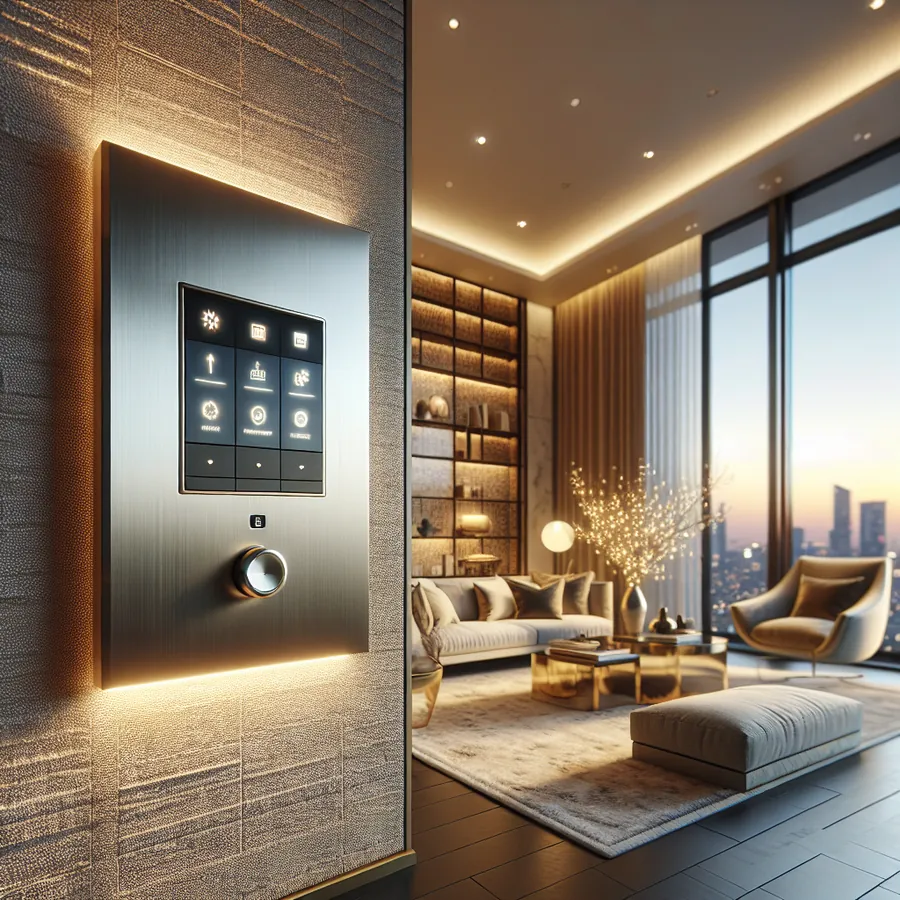
Lutron Keypad Engraving: What to Put on the Buttons
An engraved Lutron keypad is ordered once and lived with for ten years, so the words on the buttons matter more than the finish. Most of the ones we are asked to fix say the wrong thing: fixture names ("Cans", "Sconces") instead of moments ("Dinner", "Movie", "Off"), or seven buttons where four would get used.
This is what to put on the buttons, what fits, which systems allow custom engraving (HomeWorks, RadioRA 3, and Caséta's Pico), how the order actually goes in, and the mistakes people make that cost a second set of keypads. If you already have keypads and want the engraving changed, that is a quotable job — the faceplates swap, the programming stays.
Understanding Lutron Keypad Customization Options
Lutron offers an impressive array of customization possibilities across their product lines. Whether you're working with the flagship HomeWorks QSX system, the versatile RadioRA 3, or the accessible Caséta platform, personalization options abound.
Engraving Types and Techniques
Lutron employs several engraving methods depending on the keypad series:
Laser Engraving: The premium standard for HomeWorks and Palladiom keypads, laser engraving creates crisp, permanent text that won't wear off over decades of use. The precision allows for fine fonts and even small icons.
Backlit Engraving: Available on select keypads, this technique allows engraved text to illuminate when the button is active, providing intuitive visual feedback in any lighting condition.
Custom Button Caps: Some systems allow for interchangeable button caps with pre-printed or custom-engraved labels, offering flexibility for evolving needs.
Keypad Compatibility and Customization Matrix
Understanding which customization options are available for each Lutron system is crucial for planning your installation. Here's our comprehensive compatibility breakdown:
HomeWorks QSX Keypads
| Keypad Model | Custom Engraving | Backlit Text | Icon Options | Color Finishes | Button Configurations |
|---|---|---|---|---|---|
| Palladiom | Yes (Laser) | Yes | 100+ | 25+ | 1-8 buttons |
| Architrave | Yes (Laser) | Yes | 100+ | 20+ | 1-6 buttons |
| seeTouch | Yes (Laser) | Yes | 80+ | 15+ | 1-10 buttons |
| Alisse | Yes (Laser) | Yes | 100+ | Metal finishes | 1-8 buttons |
| International seeTouch | Yes (Laser) | Yes | 80+ | 15+ | 1-6 buttons |
RadioRA 3 Keypads
| Keypad Model | Custom Engraving | Backlit Text | Icon Options | Color Finishes | Button Configurations |
|---|---|---|---|---|---|
| seeTouch | Yes (Laser) | Yes | 80+ | 15+ | 1-6 buttons |
| Pico | Limited | No | Pre-set | 10+ | 2-4 buttons |
| Hybrid Keypad | Yes (Laser) | Yes | 60+ | 12+ | 2-4 buttons |
Caséta and RA2 Select
| Keypad Model | Custom Engraving | Backlit Text | Icon Options | Color Finishes | Button Configurations |
|---|---|---|---|---|---|
| Pico Remote | Label stickers | No | Pre-set | 5+ | 2-5 buttons |
| Claro Smart | No | No | N/A | 10+ | N/A |
Step-by-Step Guide to Ordering Custom Engraved Keypads
The process of ordering custom-engraved Lutron keypads requires attention to detail. Here's our proven workflow:
Step 1: Scene Planning and Button Mapping
Before touching an engraving form, document every scene and function:
- List all lighting zones in each room
- Define scenes with descriptive names ("Morning Coffee," "Movie Night," "All Off")
- Map button positions logically—we recommend placing "All On" at top, "All Off" at bottom
- Consider future expansion—leave room for scenes you might add later
Step 2: Selecting Engraving Text
Lutron typically allows 10-12 characters per line, depending on the keypad model. Best practices include:
- Keep it concise: "Dinner Party" beats "Dinner Party Lighting Scene"
- Use consistent naming conventions: If one button says "Kitchen Bright," don't label another "Full Lights Living"
- Consider all users: "Goodnight" is more intuitive than "Master Sleep Scene"
- Avoid abbreviations when possible—"Ent" for "Entertaining" causes confusion
Step 3: Icon Selection
Lutron's icon library includes symbols for:
- Lighting (sun, moon, bulb variations)
- Shades (window, blind representations)
- Audio/Video (speaker, TV, music notes)
- Climate (thermometer, fan)
- Security (lock, home)
- Custom activities (dining, reading, entertaining)
Icons can replace or accompany text, particularly useful for international households or rental properties.
Step 4: Finish and Color Coordination
Match your keypads to your interior design:
| Design Style | Recommended Finish | Popular Colors |
|---|---|---|
| Contemporary | Palladiom, Alisse | Architectural White, Satin Nickel |
| Traditional | Architrave, seeTouch | Ivory, Brass |
| Transitional | seeTouch, Palladiom | Snow, Bright Nickel |
| Modern Luxury | Alisse | Black, Polished Nickel |
| Coastal | seeTouch | White, Clear |
Step 5: Submitting Your Order
Work with your authorized Lutron dealer (like IxomeAI) to submit engraving specifications. The typical process involves:
- Completing Lutron's engraving specification form
- Reviewing a proof document
- Approving final specifications
- Production (typically 2-4 weeks for custom engraving)
- Quality verification upon receipt
Multi-Language Engraving
For international clients or multilingual households, Lutron supports engraving in multiple languages and character sets, including:
- Latin alphabets (English, Spanish, French, German, etc.)
- Cyrillic characters
- Chinese characters (simplified and traditional)
- Japanese (Hiragana, Katakana, limited Kanji)
- Arabic script
Hybrid Button Configurations
HomeWorks QSX allows mixing button types on a single keypad:
- Scene buttons for preset lighting configurations
- Raise/Lower buttons for manual dimming control
- Toggle buttons for on/off functions
- Dedicated shade buttons with intuitive up/down/preset functions
LED Color Customization
Beyond engraving, many Lutron keypads allow LED indicator customization:
- Scene active indicators: Choose colors that match your design scheme
- Brightness levels: Adjust for day/night visibility
- Behavior settings: Solid, breathing, or flash patterns
The Future of Keypad Customization: AI and Smart Home Integration
The landscape of keypad customization is evolving rapidly with artificial intelligence and advanced smart home integration.
AI-Powered Scene Suggestions
Emerging AI systems can analyze your lighting usage patterns and suggest optimal scene configurations. Imagine your smart home learning that you always dim the lights at 7 PM on weekdays and proactively suggesting a "Weeknight Wind Down" scene for your keypad.
Voice-Activated Customization
Integration with voice assistants means your engraved button labels can align with voice commands. When your keypad says "Movie Night," you can also say "Hey Google, activate Movie Night" for seamless multi-modal control.
Dynamic Digital Keypads
While traditional engraved keypads remain the gold standard for luxury installations, Lutron's newer interfaces hint at future possibilities—digital displays that could show different labels based on time of day, user preferences, or current home mode.
Predictive Maintenance
AI systems integrated with your Lutron installation can predict when keypads might need attention, ensuring your custom-engraved investment remains pristine for years.
Want personalized recommendations for your specific installation? Chat with our AI agent for tailored setup advice based on your home's unique requirements.
Common Customization Mistakes to Avoid
After hundreds of installations, we've identified the pitfalls that trip up even experienced integrators:
- Ordering before finalizing scenes: Changes after engraving mean new keypads
- Inconsistent capitalization: "Movie Night" and "MOVIE NIGHT" on different keypads looks unprofessional
- Forgetting about guests: Overly personalized labels confuse visitors
- Ignoring button hierarchy: Random scene placement creates confusion
- Skipping the proof review: Typos are permanent once engraved
Frequently Asked Questions
How long does custom engraving add to the order timeline? Custom engraving typically adds 2-4 weeks to standard keypad delivery times. Rush options may be available through your dealer for time-sensitive projects.
Can I change the engraving after installation? Engraving is permanent. To change text, you'll need to order new button kits or complete keypads. This is why thorough planning before ordering is essential.
What's the maximum character count for engraving? This varies by keypad model. Most seeTouch keypads allow 10-12 characters per line, while Palladiom keypads may accommodate slightly more due to their larger button surface.
Are custom icons available beyond Lutron's standard library? Lutron's standard icon library is extensive, but truly custom icons (like a company logo) require special arrangements and may not be available for all keypad types.
How do I clean engraved keypads without damaging the text? Use a soft, slightly damp microfiber cloth. Avoid harsh chemicals, abrasive materials, or excessive moisture. Lutron's laser engraving is durable but deserves gentle care.
Can I mix engraved and non-engraved buttons on the same keypad? Yes, you can specify engraving for specific buttons while leaving others blank. This is useful for raise/lower buttons that don't require labels.
What happens if there's an error in my engraving? If the error matches your approved proof, you'll need to reorder. If Lutron made the error, they'll typically replace the keypad at no charge. Always review proofs carefully.
Making Your Vision Reality
Lutron keypad customization represents the intersection of technology and personal expression. When done right, your keypads become intuitive extensions of your lifestyle—beautiful objects that make daily life more elegant and efficient.
The key to success lies in thoughtful planning, understanding your options, and working with experienced professionals who know the nuances of Lutron's systems. Whether you're installing a single Palladiom keypad or outfitting an entire estate with dozens of custom-engraved controls, the principles remain the same: plan thoroughly, specify precisely, and don't compromise on quality.
For those exploring the IxomeAI community, check out our discussion threads on keypad placement strategies and scene programming tips for additional insights from fellow enthusiasts and professionals.
