
Lutron Switch Off but Still Showing Voltage? Why
A Lutron Caséta switch is off, the light is dark, and a meter at the fixture still reads something close to full line voltage: 100 V, 109 V, sometimes the whole 120. It is one of the most common things people find when they put a meter on a smart switch, and most of the time it is a reading, not a fault. Sometimes it is a real fault. This page is how to tell the two apart, from Lutron's own installation guides and support articles and from the electrical industry's bulletin on exactly this kind of reading.
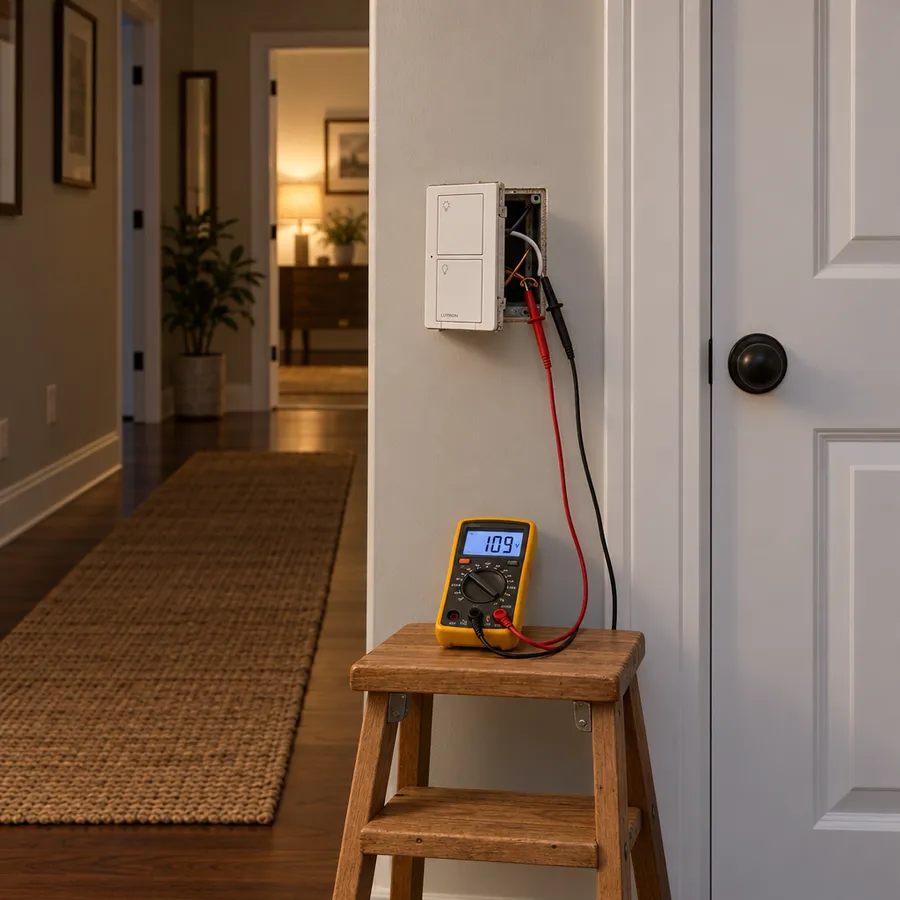
One rule doesn't depend on the answer: the Off button on a smart switch is not how anyone makes a light safe to work on. Every Lutron installation guide carries the same warning: "Turn off power at circuit breaker before installing the unit." The same goes for changing a fixture or touching its wires.
Two reasons a meter reads voltage on a switched-off light
1. The switch keeps itself powered
A smart switch is electronic. Its radio and status light stay on while the light is off, so it needs a small amount of power all the time. Where that power comes from depends on the model:
- Neutral-wire models, the Caséta PD-5ANS and PD-6ANS switches, take it from the neutral wire in the box.
- No-neutral models have no neutral to use. Lutron says the Caséta PD-5WS-DV switch "does not require a neutral connection," so its standby current flows through the light itself. The Caséta PD-6WCL dimmer is wired without a neutral as well.
Lutron explains what the neutral does in its article on neutral-wire dimmers: it "acts as a drain for the excess voltage, rather than leaking it to the load itself." Without one, that small leak reaches the light. With some LEDs it shows as a faint glow or a blink in the dark, which Lutron calls "ghosting." With other bulbs it only shows on a meter.
2. Phantom voltage
The second cause has nothing to do with Lutron, and it happens with an ordinary toggle switch too. The National Electrical Manufacturers Association (NEMA) has a bulletin on it, No. 88, Phantom Voltages (revised August 2020). Wires that run side by side are capacitively coupled, so a wire that is switched off can pick up a voltage from a live one next to it. In NEMA's words the reading "could be 2 or 3 volts, or it may be as high as the voltage on the adjacent conductors," and a longer run makes it stronger.
Why the number is so high comes down to the meter. A digital multimeter has a very high input impedance, which, as NEMA quotes Underwriters Laboratories, "places very little loading on the circuit under test." A trickle far too small to light anything still shows up as a big number.
How to tell a harmless reading from a real fault
NEMA's answer is to change the meter, not to guess. It recommends "a Listed low impedance multimeter in place of a high impedance multimeter," and warns that "without a low impedance measuring device, a high voltage reading is an inconclusive indication of possible faults in the cable." Many multimeters have a low-impedance setting, usually marked LoZ, for exactly this.
- The reading collapses toward zero on a low-impedance setting: it was phantom voltage or the switch's standby leak. A reading, not a fault.
- It stays near line voltage: treat the wire as live. NEMA is explicit that a high reading can also come from "a cable defect or improper installation, which may result in a shock hazard." That is a job for an electrician, before anyone works on the light.
Lutron gives two more checks that need no meter at all:
- The status LED on the switch. From Lutron's Caséta guide: "If the status LED on the switch is flashing or a solid red color, a LUT-MLC must be installed."
- The light itself. If it glows, blinks or flickers while it is supposed to be off, the standby leak is reaching it. That has fixes, below.
What fixes it, when it needs fixing
If the light is fully off, the status LED is normal, and the voltage only appears on a high-impedance meter, there is nothing to fix. When the light does misbehave:
- A no-neutral switch (PD-5WS-DV): Lutron's LUT-MLC load adapter. Lutron says it helps the switch run LED, fluorescent and ELV loads, "may be required, especially at lower wattages," and recommends one with those loads "regardless of wattage." It connects between the neutral and the switched hot wire to the light, inside a fixture or in a junction box on the circuit, and one is enough per switch. Lutron adds that "in rare instances, some loads may still flicker or glow in the off state" with it installed, and then a different bulb or another LUT-MLC is the next step.
- A neutral in the box: Lutron's recommendation is the PD-5ANS or PD-6ANS. With the neutral connected, the switch has somewhere other than the light to take its standby power. Lutron notes that "US houses built from the mid 1980's typically have a neutral (white) wire in the switch box."
- A dimmer rather than a switch: the fixes are different: a neutral-wire dimmer, Lutron's LUT-LBX, and a minimum load. LEDs flickering on a Lutron or Caséta dimmer goes through them, with the other causes of flicker.
Each of these is wiring work, and every Lutron sheet for them carries the same breaker warning.
In a RadioRA 3 or HomeWorks house
The electricity is the same in a whole-house system; the wallbox is the wallbox. What changes is the replacement. A new device in a RadioRA 3 or HomeWorks system has to be added to the system in Lutron's programming software before it does anything, so a swap is a job for whoever holds the project. If nobody does any more, text (734) 231-1940 or email support@ixome.ai and we answer in writing.
Sources
- Lutron: Caséta Wireless In-Wall Switches, PD-5WS-DV, PD-5ANS, PD-6ANS (support article 000002495)
- Lutron: Why Do I Need a Neutral-Based Dimmer? (support article 000005618)
- Lutron: Caséta Wireless Advanced Installation Guide (0301710, June 2024), including "Installing a LUT-MLC Load Adapter with a Caséta Wireless Switch (PD-5WS-DV)"
- Lutron: LUT-MLC wiring sheet (041-294, Rev. C)
- NEMA: Bulletin No. 88, Phantom Voltages (October 1998, revised August 2020)