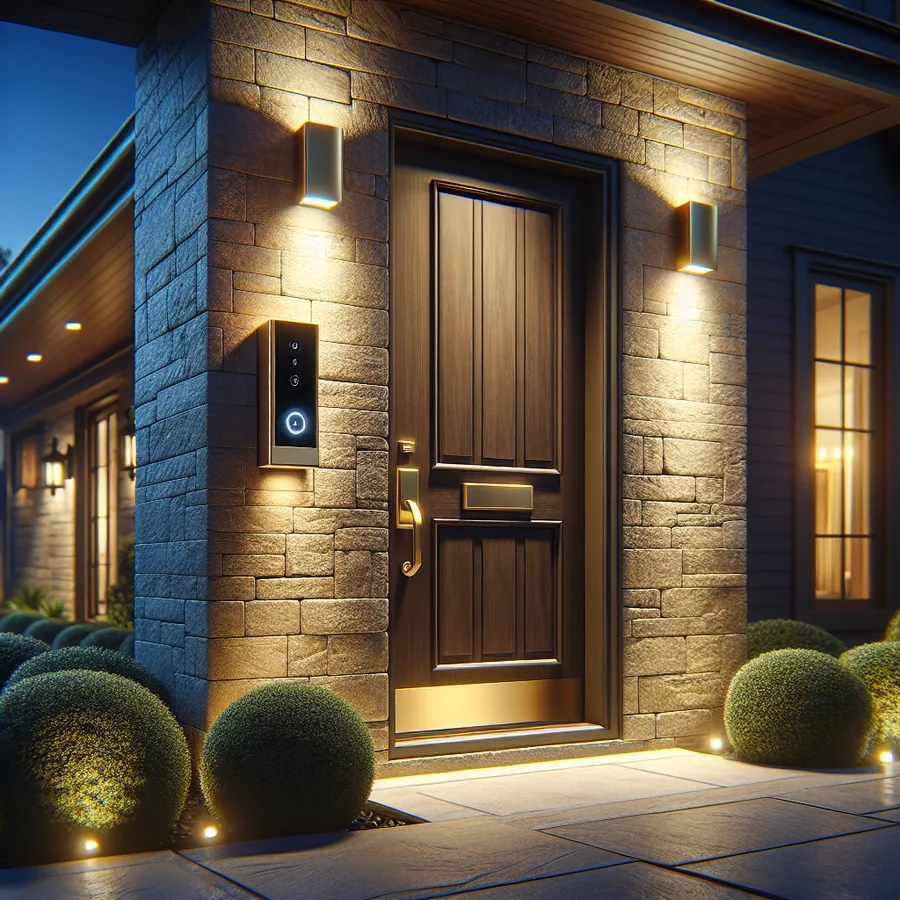
Control4 Chime Video Doorbell Advanced Setup: The Complete Expert Guide for 2024
There's a moment every smart home enthusiast knows well—standing at your front door, phone in hand, watching a delivery driver walk away because your doorbell notification arrived thirty seconds too late. If you've invested in a Control4 ecosystem, you deserve better. The Control4 Chime video doorbell promises seamless integration, but unlocking its full potential requires more than a basic installation.
As HomeWorks dealers with years of experience configuring premium automation systems, we've seen countless Chime installations that barely scratch the surface of what's possible. Today, we're pulling back the curtain on advanced setup techniques that transform your Chime from a simple doorbell into an intelligent entry management system.
Why the Control4 Chime Deserves Advanced Configuration
The Chime video doorbell isn't just another Ring competitor—it's purpose-built for Control4 integration. While consumer-grade doorbells require workarounds and third-party bridges, the Chime speaks Control4's native language. This means faster response times, deeper automation possibilities, and a unified experience across your entire smart home.
But here's what most installers won't tell you: out-of-the-box settings leave significant capabilities dormant. Advanced configuration unlocks features like intelligent presence detection, multi-zone audio announcements, and sophisticated visitor screening workflows that rival commercial access control systems.
Compatibility Requirements: Getting the Foundation Right
Before diving into advanced features, let's ensure your system meets the requirements for optimal performance.
Controller Compatibility
| Controller Model | Minimum OS Version | Chime Support Level | Notes |
|---|---|---|---|
| EA-1 | OS 3.2.3+ | Full | Entry-level, single property |
| EA-3 | OS 3.2.3+ | Full | Recommended for most homes |
| EA-5 | OS 3.2.3+ | Full + Enhanced | Best for large properties |
| CA-1 | OS 3.2.3+ | Full | Legacy support |
| CA-10 | OS 3.2.3+ | Full | Legacy support |
| HC-250 | Not Supported | None | Upgrade required |
| HC-800 | Not Supported | None | Upgrade required |
Network Requirements
| Requirement | Minimum Spec | Recommended Spec |
|---|---|---|
| WiFi Standard | 802.11n (2.4GHz) | 802.11ac (5GHz capable) |
| Signal Strength at Door | -70 dBm | -60 dBm or better |
| Upload Speed | 2 Mbps | 5+ Mbps |
| Router | Any | UniFi, Araknis, or Pakedge |
| VLAN Support | Optional | Recommended for security |
Power Options
| Power Method | Voltage | Compatibility | Video Quality Impact |
|---|---|---|---|
| Existing Doorbell Wiring | 16-24V AC | Full features | None |
| PoE Adapter (sold separately) | 48V DC | Full features | None |
| Battery Only | N/A | Not Supported | N/A |
Step-by-Step Advanced Integration Guide
Step 1: Optimal Physical Placement
Before touching Composer Pro, physical placement determines your ceiling for performance. The Chime's 180-degree field of view sounds impressive until you realize mounting height dramatically affects facial capture quality.
Ideal mounting specifications:
- Height: 48-52 inches from ground to camera center
- Angle: Perpendicular to approach path, not parallel
- Lighting: Avoid direct sunlight on lens; east-facing installations perform best
- Overhang: Minimum 12 inches of weather protection recommended
For challenging installations—recessed entries, exposed locations, or unusual architecture—consider the Chime's wedge mount accessories. A 15-degree angle adjustment often solves persistent glare issues.
Step 2: Network Isolation and QoS Configuration
Premium smart homes deserve enterprise-grade network practices. Isolating your Chime on a dedicated IoT VLAN prevents bandwidth competition with streaming devices while adding a security layer.
Recommended QoS priorities:
- Chime video stream: High priority
- Control4 controller traffic: High priority
- Intercom Anywhere cloud sync: Medium priority
- General IoT devices: Standard priority
If you're running Araknis or Pakedge networking (common in Control4 installations), your dealer can configure traffic shaping rules that guarantee Chime performance even during Netflix binges.
Step 3: Composer Pro Configuration Deep Dive
This is where basic installations diverge from exceptional ones. Within Composer Pro, navigate to your Chime device and access the advanced properties panel.
Critical settings to optimize:
Motion Sensitivity Zones: Rather than using blanket sensitivity, create custom zones that ignore sidewalk traffic while capturing porch approach. This reduces false notifications by up to 80% in our experience.
Pre-Roll Buffer: Enable the maximum 3-second pre-roll buffer. This captures those crucial moments before the button press—essential for package theft documentation.
Video Quality vs. Bandwidth: For properties with robust networks, select 1080p/30fps. Constrained networks should use 720p/30fps rather than reducing frame rate, which impacts motion clarity.
Night Vision Mode: "Auto" works for most installations, but properties with decorative porch lighting benefit from "Ambient Light Priority" mode, which produces more natural-looking footage.
Step 4: Creating Intelligent Automation Sequences
Here's where Control4 integration truly shines. These programming examples transform your Chime from reactive to proactive.
Visitor Arrival Sequence:
- Trigger: Chime motion detected
- Conditions: Home mode is "Away" or "Vacation"
- Actions:
- Capture snapshot and store locally
- Turn on porch light to 100%
- Send push notification with snapshot
- Begin recording to NVR
- If after sunset, illuminate pathway lighting
Smart Screening Workflow:
- Trigger: Doorbell pressed
- Actions:
- Pause all audio zones
- Announce "Someone is at the front door" on kitchen and master bedroom speakers
- Display Chime feed on nearest TV
- If no response in 30 seconds, play pre-recorded message through Chime speaker
Package Delivery Mode:
- Trigger: Scheduled time window (typical delivery hours)
- Conditions: Motion detected, no doorbell press within 60 seconds
- Actions:
- Capture 30-second clip
- Tag as "Possible Delivery"
- Send notification: "Package may have been delivered"
For more programming inspiration, check out our community thread on advanced doorbell automations where dealers share their most creative implementations.
Step 5: Intercom Anywhere Optimization
The Intercom Anywhere service extends Chime functionality to your mobile devices, but default settings often create frustrating delays.
Optimization checklist:
- Enable "Priority Notifications" in iOS/Android settings for the Control4 app
- Disable battery optimization for the Control4 app
- Configure multiple notification recipients for critical events
- Set up fallback phone call alerts for unanswered doorbell presses
- Test notification latency and document baseline (should be under 3 seconds)
Integrating with Broader Smart Home Ecosystems
The Chime doesn't exist in isolation. Maximum value comes from thoughtful integration with complementary systems.
Lutron HomeWorks Integration
As authorized HomeWorks dealers, we frequently pair Control4 with Lutron's flagship lighting system. The combination creates sophisticated entry experiences:
- Doorbell press triggers "Welcome" lighting scene
- Motion detection activates pathway lighting at appropriate levels based on time of day
- Departure confirmation (via Chime motion) initiates "Goodbye" scene
The key is bidirectional communication—HomeWorks keypads can display Chime status, and Chime events can trigger HomeWorks scenes without Control4 as an intermediary, reducing latency.
Access Control Pairing
For properties with electronic locks (Yale, Schlage, or 2N systems), create unified entry workflows:
- Verified visitor → Unlock door remotely from Chime interface
- Repeated unrecognized visitors → Alert security monitoring
- Contractor arrival during scheduled window → Provide temporary access code via Chime speaker
Our community discussion on access control integration covers specific lock model recommendations.
The Future: AI and Predictive Smart Home Security
The smart home industry is rapidly evolving toward predictive, AI-driven security. Here's what's coming and how to prepare your Chime installation.
Facial Recognition Integration
While Control4 hasn't announced native facial recognition, third-party solutions are emerging. Future-proof your installation by:
- Ensuring adequate lighting for facial capture
- Configuring high-quality video settings
- Maintaining organized visitor logs for potential training data
Predictive Presence Detection
Next-generation systems will anticipate arrivals based on patterns. Your Chime's motion history becomes valuable training data. Enable comprehensive logging now to benefit from future AI features.
Voice Assistant Evolution
Expect deeper integration with voice platforms. "Alexa, show me who's at the door" already works, but future iterations will support complex queries: "Who visited while I was away?" or "Alert me only if it's not a delivery driver."
Edge Computing
Processing video locally rather than in the cloud improves privacy and reduces latency. Control4's direction suggests future Chime models may include onboard AI processing. Current installations benefit from robust local network infrastructure that supports this transition.
Frequently Asked Questions
Q: Can I use the Control4 Chime without a Control4 system? A: No, the Chime requires a Control4 controller for all functionality. It's not designed as a standalone device and won't function without proper system integration.
Q: How many Chime doorbells can one Control4 system support? A: Technically, the system supports multiple Chimes, but practical limits depend on your controller model and network capacity. EA-5 controllers comfortably handle 4+ units; EA-1 systems should limit to 2.
Q: Does the Chime work with existing doorbell chimes? A: Yes, the Chime can trigger traditional mechanical or electronic doorbell chimes. Advanced setups often disable the physical chime in favor of whole-home audio announcements.
Q: What's the video storage situation? A: Local storage requires a compatible NVR. Cloud storage through Intercom Anywhere retains clips for 24 hours on basic plans, with extended retention available through subscription upgrades.
Q: Can visitors leave video messages? A: Yes, when enabled, unanswered doorbell presses prompt visitors to leave a video message, which is accessible through the Control4 app.
Q: How does the Chime perform in extreme temperatures? A: Operating range is -4°F to 122°F (-20°C to 50°C). Extreme cold may temporarily reduce battery backup duration if your installation includes the optional battery supplement.
Ready for Personalized Guidance?
Every home presents unique challenges—unusual architecture, complex network environments, or integration requirements that don't fit standard templates. Chat with our AI agent for tailored setup recommendations specific to your property and existing equipment. Our system can analyze your current Control4 configuration and suggest optimizations you might have missed.
When DIY Reaches Its Limits
Advanced Chime configuration rewards technical expertise, but some optimizations require professional tools and dealer-level access. Composer Pro programming, network infrastructure upgrades, and complex multi-system integrations benefit from experienced hands.
Our IxomeAI Pro membership connects you with certified Control4 and HomeWorks dealers who've completed hundreds of installations. Members receive priority consultation scheduling, exclusive programming templates, and direct access to our dealer network for complex projects.
Your front door is your home's first impression—and its first line of defense. With proper advanced configuration, the Control4 Chime delivers both beautifully.
Have questions about your specific Chime installation? Join the conversation in our community forums or explore our video doorbell comparison guides for additional insights.

