HomeWorks QS vs RadioRA 3: The Ultimate Comparison for Luxury Homes in 2024
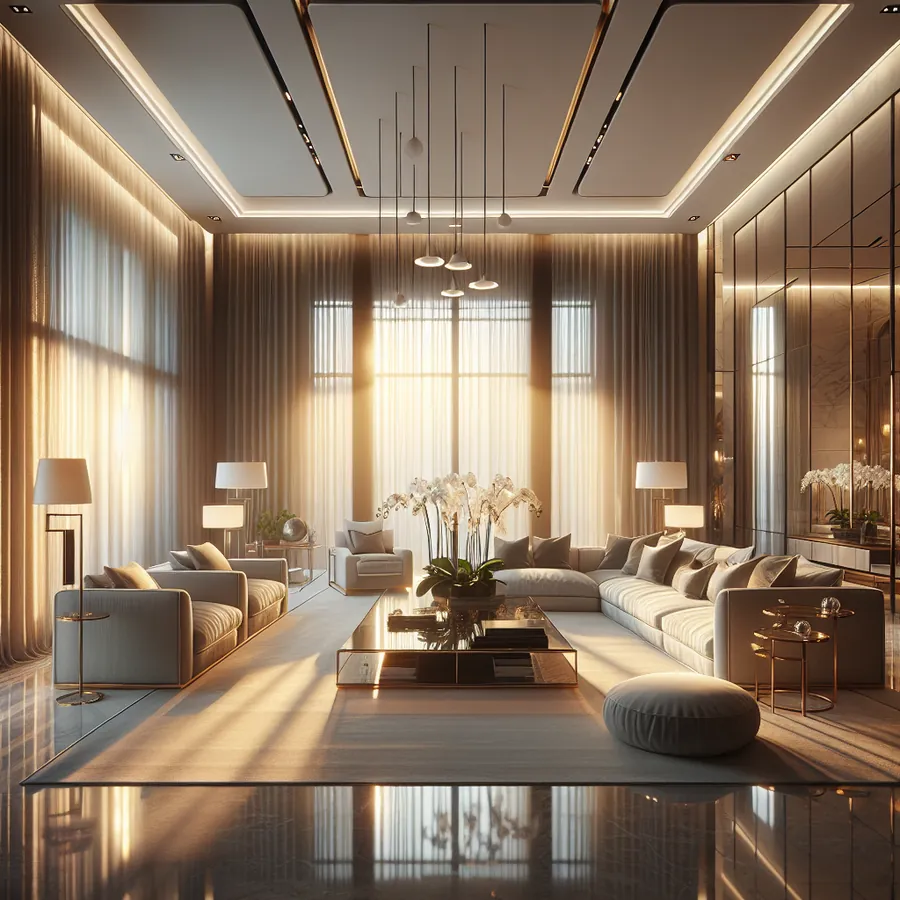
When you're investing in a luxury home, every detail matters—from the Italian marble in your foyer to the way light cascades through your living spaces at sunset. But here's a question that separates truly exceptional homes from merely expensive ones: How intelligent is your lighting control system?
As certified HomeWorks dealers with over a decade of experience designing lighting systems for high-end residences, we've had countless conversations with homeowners standing at this exact crossroads. The choice between Lutron's HomeWorks QS and RadioRA 3 isn't just about features on a spec sheet—it's about understanding your lifestyle, your home's architecture, and your vision for the future.
Let's dive deep into this comparison so you can make the decision that's right for your luxury home.
Understanding the Lutron Ecosystem
Before we compare these two powerhouse systems, it's important to understand that both HomeWorks QS and RadioRA 3 come from Lutron—the undisputed leader in precision lighting control. This isn't a comparison between a premium brand and a budget alternative. Instead, think of it as choosing between a Porsche 911 and a Porsche Taycan: both exceptional, but designed for different drivers.
HomeWorks QS represents Lutron's flagship offering, designed for the most demanding residential and commercial applications. It's the system you'll find in celebrity estates, museum-quality art collections, and homes where lighting isn't just functional—it's transformative.
RadioRA 3 is Lutron's newest wireless platform, launched in 2022 as the successor to RadioRA 2. It brings professional-grade performance to a more accessible price point while introducing modern connectivity features that appeal to tech-forward homeowners.
Head-to-Head Comparison
System Architecture & Scalability
| Feature | HomeWorks QS | RadioRA 3 |
|---|---|---|
| Maximum Devices | 10,000+ | 200 devices |
| Processor Type | Dedicated QS Processor | Hub-based (RA3 Processor) |
| Wiring Approach | Hybrid (wired backbone + wireless) | Primarily wireless |
| Ideal Home Size | 5,000+ sq ft | 2,000-8,000 sq ft |
| Multi-building Support | Yes (estates, guesthouses) | Limited |
| Redundancy Options | Full failover capability | Basic |
Control & Interface Options
| Control Type | HomeWorks QS | RadioRA 3 |
|---|---|---|
| Custom Keypads | Palladiom, Alisse, seeTouch | Sunnata, Pico |
| Engraving Options | Unlimited custom | Standard + custom |
| Finish Options | 30+ designer finishes | 15+ finishes |
| Touchscreen Integration | Native support | Via third-party |
| Voice Control | Full integration | Full integration |
| Mobile App | Lutron HomeWorks app | Lutron app |
Integration Capabilities
| Integration | HomeWorks QS | RadioRA 3 |
|---|---|---|
| Control4 | Native driver | Native driver |
| Crestron | Full integration | Full integration |
| Savant | Certified | Certified |
| Apple HomeKit | Via integration | Native |
| Google Home | Via integration | Native |
| Amazon Alexa | Via integration | Native |
| Sonos | Yes | Yes |
| Lutron Shading | Full ecosystem | Full ecosystem |
When HomeWorks QS Is the Clear Choice
For our clients building or renovating luxury homes above 6,000 square feet, HomeWorks QS typically emerges as the superior choice. Here's why:
1. Unmatched Reliability Through Wired Infrastructure
In a 12,000 square foot estate with 400+ lighting zones, wireless interference isn't just an inconvenience—it's unacceptable. HomeWorks QS uses a wired backbone that ensures every command executes instantly, every time. When you're hosting a dinner party and want to transition from "cocktail hour" to "intimate dining" with a single button press, there's zero tolerance for lag or missed signals.
2. Architectural Lighting Precision
HomeWorks QS supports advanced dimming curves and precise load control that RadioRA 3 simply cannot match. For homes with museum-quality art, custom LED installations, or theatrical lighting designs, this precision is non-negotiable. We've worked with lighting designers who specify exact dimming percentages for different times of day—HomeWorks QS delivers that level of control.
3. Future-Proof Investment
A luxury home is a generational investment. HomeWorks QS systems we installed fifteen years ago are still running flawlessly, with processors that have been updated to support modern integrations. The system's modular architecture means you can expand, upgrade, and adapt without replacing your entire infrastructure.
For deeper discussions on HomeWorks QS installation best practices, check out our IxomeAI community thread on processor placement strategies.
When RadioRA 3 Makes Perfect Sense
Don't mistake RadioRA 3 for a "lesser" system—it's a remarkable achievement in wireless lighting control that serves many luxury applications beautifully.
1. Retrofit Excellence
If you've purchased a stunning mid-century modern home and want to add intelligent lighting without opening walls, RadioRA 3 is transformative. Its Clear Connect X wireless technology provides exceptional range and reliability without the construction disruption that a wired system would require.
2. Smart Home Native Integration
For homeowners who live in the Apple ecosystem and want seamless HomeKit integration out of the box, RadioRA 3 delivers. The native support for consumer smart home platforms makes it ideal for tech-savvy owners who want to tinker and customize without calling their integrator for every change.
3. Cost-Effective Luxury
A RadioRA 3 system typically costs 40-60% less than a comparable HomeWorks QS installation. For a 4,000 square foot home with 80 lighting zones, this difference can represent $30,000-$50,000 in savings—funds that might be better allocated to premium fixtures or other home improvements.
Our community has an excellent discussion on RadioRA 3 retrofit strategies for historic homes that's worth exploring.
Step-by-Step Integration Guide
Integrating HomeWorks QS with a Whole-Home Automation System
Step 1: Define Your Lighting Zones Work with your lighting designer to map every fixture, circuit, and control point. HomeWorks QS excels when this planning happens during architectural design, not as an afterthought.
Step 2: Select Your Processor Configuration For homes under 10,000 sq ft, a single QS processor typically suffices. Larger estates may require multiple processors with network bridging.
Step 3: Choose Your Control Interfaces The Palladiom keypad collection offers the most refined aesthetic, while Alisse provides a contemporary alternative. Consider mixing styles for different areas—formal spaces might warrant Palladiom, while a home gym could use seeTouch.
Step 4: Program Your Scenes This is where HomeWorks QS truly shines. Work with your dealer to create scenes that respond to time of day, occupancy, and even astronomical events. Imagine lights that automatically adjust as the sun sets, maintaining perfect ambiance without any manual intervention.
Step 5: Integrate with Your Control System Whether you're using Control4, Crestron, or Savant, HomeWorks QS offers robust two-way communication. Your lighting becomes part of a unified experience where "Movie Night" dims the lights, closes the shades, and powers on your theater—all from a single command.
Integrating RadioRA 3 with Smart Home Platforms
Step 1: Install the RA3 Processor Position your processor centrally for optimal wireless coverage. For larger homes, auxiliary repeaters extend range without complexity.
Step 2: Add Devices Systematically Start with the room closest to your processor and work outward. RadioRA 3's app-based setup makes adding devices intuitive, even for DIY-inclined homeowners.
Step 3: Configure HomeKit/Google/Alexa RadioRA 3's native smart home support means integration is often as simple as scanning a code. Within minutes, you can control lights via voice or smartphone.
Step 4: Create Scenes and Schedules The Lutron app provides powerful scene creation tools. Combine lighting with Lutron shades for comprehensive daylight management.
Step 5: Refine and Optimize Unlike HomeWorks QS, RadioRA 3 allows homeowners to make many adjustments themselves. This flexibility is perfect for those who enjoy personalizing their environment.
The Future: AI and Adaptive Lighting
The smart home industry is evolving rapidly, and both HomeWorks QS and RadioRA 3 are positioned to embrace emerging technologies.
Predictive Lighting Intelligence
We're already seeing early implementations of AI-driven lighting that learns your patterns. Imagine a system that knows you prefer brighter kitchen lighting on weekday mornings but softer ambiance on lazy Sundays—and adjusts automatically without programming.
Circadian Rhythm Optimization
Both platforms support tunable white lighting, but the next frontier is truly adaptive circadian systems. These will adjust color temperature throughout the day to support your natural sleep-wake cycles, potentially improving sleep quality and daytime alertness.
Energy Intelligence
Future updates will likely include deeper integration with home energy management systems, automatically optimizing lighting based on solar production, utility rates, and occupancy patterns.
Voice AI Evolution
As conversational AI improves, expect more natural lighting control. Instead of "Alexa, set living room to 50%," you might simply say, "I'm feeling cozy tonight," and your system will understand exactly what that means for your space.
Join the conversation about AI-driven lighting futures in our IxomeAI community forum.
Frequently Asked Questions
Can I upgrade from RadioRA 3 to HomeWorks QS later? While the systems use different architectures, many RadioRA 3 components (particularly shades and some dimmers) can be incorporated into a HomeWorks QS system. However, this isn't a simple software upgrade—it requires new infrastructure. If you anticipate needing HomeWorks QS capabilities, it's more cost-effective to start there.
Which system offers better reliability? HomeWorks QS, with its wired backbone, offers superior reliability for mission-critical applications. RadioRA 3's Clear Connect X wireless technology is excellent, but physics dictates that wired connections will always be more robust than wireless.
Do both systems work with Lutron shades? Yes, both platforms integrate seamlessly with Lutron's complete shading portfolio, including Sivoia QS, Palladiom, and Triathlon shades.
What's the typical installation timeline? RadioRA 3 installations in existing homes typically complete in 2-5 days. HomeWorks QS new construction projects require coordination with electrical rough-in and may span several months alongside the building process.
Can I control either system when I'm away from home? Both systems offer secure remote access through their respective apps, allowing you to monitor and control your lighting from anywhere in the world.
Which system has better resale value? HomeWorks QS is recognized as a premium feature that can increase home value. RadioRA 3, while excellent, is newer and less established in the luxury market.
Making Your Decision
The choice between HomeWorks QS and RadioRA 3 ultimately comes down to three factors: scale, budget, and installation context.
Choose HomeWorks QS if:
- Your home exceeds 6,000 square feet
- You're building new or doing a major renovation
- You have complex lighting requirements (art lighting, theatrical effects)
- You want the absolute best, regardless of cost
- You're integrating with a professional automation system
Choose RadioRA 3 if:
- Your home is under 6,000 square feet
- You're retrofitting an existing home
- You want native smart home platform integration
- Budget optimization is important
- You prefer some DIY control over your system
Still unsure which system is right for your luxury home? Every residence is unique, and the "right" answer depends on factors that a comparison article can't fully address. That's why we've developed something special.
Chat with our AI agent for a tailored setup recommendation. Share details about your home, your lifestyle, and your vision—and receive personalized guidance based on thousands of successful installations.
For homeowners ready to dive deeper, our IxomeAI Pro membership unlocks exclusive content including detailed specification templates, dealer negotiation guides, and direct access to our expert community. The investment pays for itself with a single informed decision.
Your home deserves lighting that's as thoughtfully designed as every other element. Whether you choose HomeWorks QS or RadioRA 3, you're investing in a system that will transform how you experience your space—every morning, every evening, every moment in between.

