
Bought a House With Control4 and No Dealer? How to Get Control Back
You moved in. There are keypads on every wall, a touchscreen by the door, and a rack of equipment in a closet somewhere. Some of it works. The rest does something you don't understand, or nothing at all. And when you finally track down the company that installed it, one of three things is true: they've gone out of business, they don't work on homes they didn't sell, or they never call you back.
That's an orphaned system. It is extremely common, it is not your fault, and it is fixable without ripping anything out.
This guide explains why it happens, what you can genuinely do yourself for free, and what actually has to be done by a dealer — so you can tell the difference between a real obstacle and someone charging you for a phone call.
Why your Control4 system is locked even though you own it
Control4 is sold through dealers, and the programming lives in a file — the project — that describes every device in your house and what each button does. That file is edited with software called Composer Pro, which Control4 licenses to dealers only. It is not sold to homeowners, and no amount of persistence changes that.
On top of that, every system has a dealer of record: the company Control4's systems believe is responsible for your house. That relationship controls who can access the system remotely, who can register the controller, and who can make changes.
So when your installer disappears, you are left owning hardware you can operate but cannot change. Adding a light, renaming a room, fixing a button that does the wrong thing — all of it sits behind a door you don't hold the key to.
⭐The important part: the door has a key, and it can be handed to someone else. A system with no active dealer isn't broken. It's unattended.
What you can do yourself, right now, for nothing
Before you pay anyone — including us — find out what you actually have. Four things, none of which require software or a visit.
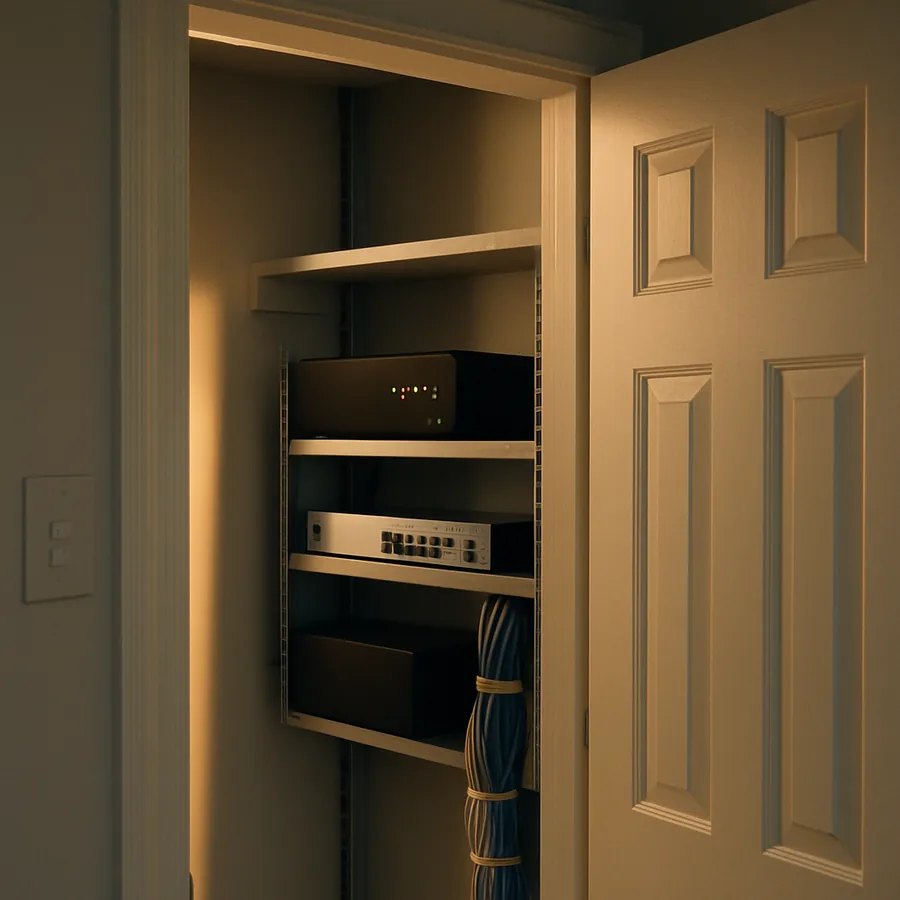
1. Find the controller and read the label. It's the box everything plugs into, usually in a rack or a closet, often with a small fan. You're looking for a model name: HC-250, HC-800, EA-1, EA-3, EA-5, CORE 1, CORE 3, or CORE 5. Write it down along with any serial number. That one line tells a dealer more about your options than a long phone call will.
2. Check whether the system still talks to the outside world. Open the Control4 app on your phone while connected to your home's Wi-Fi. If it controls things at home but stops working the moment you leave, you have a system without active remote access. That's a subscription and account issue, not a fault.
3. Look for the previous owner's account. Control4's homeowner portal is my.control4.com. If the sellers left you their login it saves a real step. If they didn't, that's normal — most people never had one.
4. Write down what's actually wrong. Not "it's a mess" — specifics. The keypad by the back door does nothing. The kitchen scene turns on the wrong lights. Nobody knows what the button labelled "Party" does. This list is the job. Everything else is discovery.
That's the entire free diagnostic. If someone wants to charge you a trip fee to tell you your controller is an EA-5, you now don't need them to.
The eBay and estate-sale case: a controller that still belongs to someone else
There's a specific version of this problem worth calling out, because it looks like a hardware fault and isn't.
If you bought a Control4 controller secondhand — eBay, a marketplace listing, an estate sale, or it simply came with the house — it may still be registered to the person who had it before you. A controller can only be registered to one account at a time, and the seller almost never knows they were supposed to release it. Nothing in the box says so.
The symptom is confusing: the equipment powers up, the lights respond, but any attempt to claim it, add remote access, or update it stops with an error that sounds like a defect. It isn't. It's a name on a record.
Releasing it is a dealer-side process — it isn't something you can do from the app, and it doesn't need new hardware. ‼️Do not buy a replacement controller to solve this. It is the most expensive possible fix for what is really a paperwork problem, and it happens constantly.
What genuinely requires a dealer
Being honest about this matters, because it's where people get overcharged.
- Any programming change. New device, changed scene, relabelled button, fixed logic. Composer Pro only.
- Software and OS updates. Older systems often sit years behind. Updating is not a matter of tapping "update" on the touchscreen.
- Transferring dealer of record. Someone has to accept responsibility for the system on the dealer side.
- Registration and release of controllers. The secondhand case above.
And what does not require a dealer, whatever anyone tells you: using your system, changing the Wi-Fi password on unrelated devices, replacing a failed bulb, or rebooting things. If a company's first move is a service call to press a reset button, keep looking.
The upgrade question, and the trap inside it
Most orphaned systems are running old software, because updates stopped the day the dealer did. Owners are usually told they need to replace the controller. Often that's wrong — the existing hardware supports a much newer version than it's running.
But there is a real trap here, and it's the reason this shouldn't be improvised: Control4 systems have to be moved up through the versions in the right order. Jumping a system straight from an old release to the newest one can break the connections between your controller and the devices in the walls — leaving you worse off than when you started, with keypads that have forgotten what they're attached to.
That's recoverable, but recovering it costs far more than doing it in the correct sequence the first time. It is also exactly the kind of work that does not need anyone in your house.
How this works without a truck in your driveway
Nearly all of it is remote. A dealer with the right access can read your system, see every device and how it's programmed, take a full backup, update the software, and hand the results back — without scheduling a visit, and without the trip charge that usually makes small jobs uneconomic.
That's what Ixome does. Ixome is the AI service platform of Smart Home Theaters — a Lutron dealer since 1999 and one of the first Control4 dealers in the country. We work on systems other people installed, which is the whole point: your original dealer being gone is the normal starting condition here, not a complication.
Our software upgrade — bringing an out-of-date Control4 system up to current — is $129, done remotely. There's no trip fee, because there's no trip.
If you later buy equipment through us, that $129 comes back to you as credit on your account, to spend on programming or other work on your system. To be plain about it: it isn't a refund and the upgrade isn't free. The money just stops being a cost and starts being a balance you can use.
We are not going to pretend every job is that simple. A house with genuine wiring damage needs hands on it, and we'll tell you when that's the case rather than sell you something that won't work. But the majority of "my Control4 is orphaned" situations are an access problem and an out-of-date system, and both are solved from here.
What to do next
If you have the four answers from earlier — controller model, whether remote access works, whether you have an account, and the list of what's wrong — you're ready to find out what your system actually needs.
The fastest way is to ask in our chat. Tell it what box you found and what isn't working, and it will tell you what your options are, including the ones that cost nothing. It won't try to sell you a controller you don't need; the whole business depends on the opposite.
You can also read what else we do, or look through the rest of our community articles if you'd rather work out the technical side yourself first. Plenty of people do, and that's fine too.
Your system isn't broken. It's just been left alone. That's a much smaller problem than it feels like standing in a hallway pressing a button that does nothing.
