
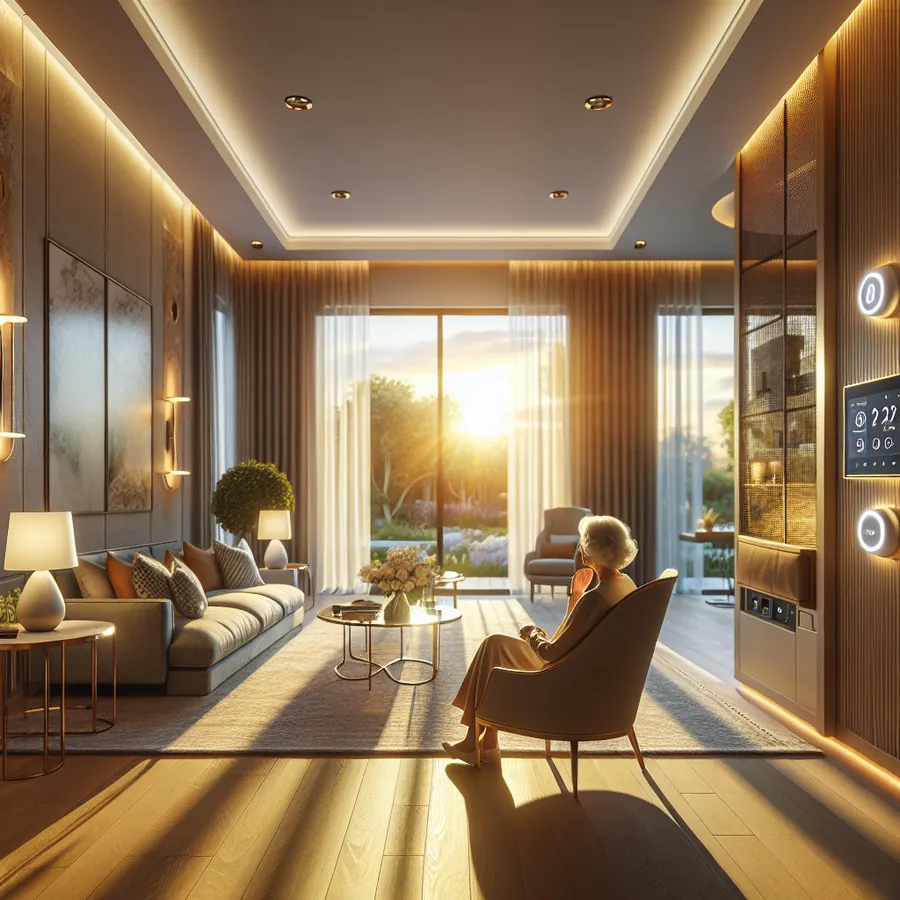
Smart Home Accessibility Features Guide: Creating an Inclusive, Intelligent Living Space
Imagine walking into your home and having every light, shade, and climate setting respond to your presence—without lifting a finger, pressing a button, or even speaking a word. For millions of people living with mobility challenges, visual impairments, hearing differences, or cognitive disabilities, this isn't just convenience; it's independence. It's dignity. It's home.
At IxomeAI, we've spent years working with Lutron HomeWorks dealers and accessibility specialists to understand how premium smart home technology can transform lives. Whether you're designing for aging in place, accommodating a family member with specific needs, or future-proofing your home for whatever life brings, this comprehensive guide will walk you through everything you need to know about smart home accessibility features.
Why Accessibility Matters in Smart Home Design
The World Health Organization estimates that over 1 billion people globally live with some form of disability. In the United States alone, the CDC reports that 26% of adults have a disability that impacts major life activities. Smart home technology has evolved from a luxury convenience to an essential tool for independent living.
But here's what many people don't realize: accessibility features benefit everyone. Voice control helps when your hands are full of groceries. Automated lighting prevents falls for all ages. Motion-activated systems reduce energy waste. When you design for accessibility, you design for humanity.
Core Accessibility Categories and Compatible Technologies
Before diving into specific solutions, let's understand the primary accessibility categories and which smart home platforms excel in each area.
Compatibility Overview by Accessibility Need
| Accessibility Need | Lutron HomeWorks | Apple HomeKit | Google Home | Amazon Alexa | Control4 |
|---|---|---|---|---|---|
| Voice Control | ★★★★★ | ★★★★★ | ★★★★★ | ★★★★★ | ★★★★☆ |
| Motor/Mobility | ★★★★★ | ★★★★☆ | ★★★☆☆ | ★★★☆☆ | ★★★★★ |
| Visual Impairment | ★★★★☆ | ★★★★★ | ★★★★☆ | ★★★★☆ | ★★★☆☆ |
| Hearing Impairment | ★★★★☆ | ★★★★☆ | ★★★★☆ | ★★★★☆ | ★★★★☆ |
| Cognitive Support | ★★★★★ | ★★★★☆ | ★★★☆☆ | ★★★☆☆ | ★★★★★ |
| Aging in Place | ★★★★★ | ★★★★☆ | ★★★☆☆ | ★★★☆☆ | ★★★★★ |
Voice Assistant Accessibility Features Comparison
| Feature | Siri | Google Assistant | Alexa |
|---|---|---|---|
| Voice Match/Recognition | Yes | Yes | Yes |
| Type to Siri/Assistant | Yes | Yes | Limited |
| Switch Control Support | Excellent | Good | Limited |
| Screen Reader Integration | VoiceOver | TalkBack | VoiceView |
| Custom Wake Words | No | Limited | Yes |
| Whisper Mode | No | No | Yes |
| Routine Suggestions | Limited | Excellent | Good |
Phase 1: Foundation—Lighting and Shading Control
Lighting is the cornerstone of any accessible smart home. Poor lighting contributes to falls, eye strain, and disorientation. Here's how to implement an accessible lighting system:
Step 1: Assess Current Lighting Conditions
- Walk through each room at different times of day
- Identify areas with insufficient light for tasks
- Note locations where glare causes problems
- Document switch locations that are difficult to reach
Step 2: Choose Your Control Platform
For serious accessibility needs, we consistently recommend Lutron HomeWorks through a certified dealer. Why? The system offers:
- Reliable, interference-free communication
- Tactile keypads with raised buttons and LED feedback
- Integration with virtually every voice platform
- Professional programming for complex automation
- 24/7 reliability without internet dependency
Step 3: Implement Layered Control Options
The key to accessibility is redundancy. Never rely on a single control method:
- Voice Control: "Hey Google, turn on kitchen lights to 70%"
- Motion Sensors: Lights activate automatically when entering a room
- Scheduled Automation: Pathway lights illuminate at sunset
- Physical Keypads: Large, tactile buttons at accessible heights (34-48 inches ADA compliant)
- Mobile App: Smartphone control from anywhere
Step 4: Program Accessibility-Focused Scenes
Create scenes that address specific needs:
- "Pathway" - Illuminates route from bedroom to bathroom at 20% for nighttime
- "Morning" - Gradually increases light over 30 minutes to support natural waking
- "Task" - Maximum light for reading, cooking, or detailed work
- "Low Vision" - High contrast lighting that reduces shadows
For detailed discussions on scene programming, check out our IxomeAI community thread on accessible lighting scenes.
Phase 2: Voice Control Optimization
Step 1: Position Voice Assistants Strategically
- Place devices in every major room
- Ensure at least one device per floor
- Position away from TVs and speakers to reduce false activations
- Consider ceiling-mounted options for better pickup
Step 2: Configure Accessibility Settings
For Apple devices:
- Enable Voice Control for hands-free device operation
- Configure Switch Control if using adaptive switches
- Set up Guided Access for cognitive support
For Google devices:
- Enable "Hey Google" sensitivity adjustment
- Configure Voice Match for personalized responses
- Set up Routines for complex multi-step commands
For Amazon devices:
- Enable Tap to Alexa for non-verbal interaction
- Configure Alexa Communication features for emergency contact
- Set up Hunches for predictive automation
Step 3: Create Simple, Memorable Commands
Work with users to establish intuitive voice commands:
- "Goodnight" - Locks doors, arms security, dims all lights
- "Help" - Activates emergency lighting and contacts designated person
- "I'm home" - Disarms security, adjusts climate, turns on welcome lights
Phase 3: Environmental Control Integration
Climate Control for Accessibility
Temperature regulation is crucial for many disabilities, including multiple sclerosis, where heat sensitivity is common.
| Smart Thermostat | Voice Control | Remote Sensors | Accessibility Rating |
|---|---|---|---|
| Lutron Integration | Excellent | Via HomeWorks | ★★★★★ |
| Ecobee Premium | Excellent | Included | ★★★★☆ |
| Nest Learning | Good | Additional Cost | ★★★☆☆ |
| Honeywell T10 | Good | Included | ★★★★☆ |
Door and Lock Automation
For mobility-impaired users, automated door locks and openers are transformative:
- Install smart locks with multiple unlock methods (code, app, voice, proximity)
- Consider automatic door openers for frequently used entries
- Integrate with presence detection for hands-free unlocking
- Program auto-lock timers for security
Our community has an excellent discussion on accessible entry solutions with real-world installation tips.
Phase 4: Safety and Emergency Systems
Visual Alert Systems for Hearing Impairment
Smart lighting can serve as a visual notification system:
- Doorbell rings → Lights flash in specific pattern
- Smoke alarm activates → All lights turn on and flash
- Phone rings → Specific room lights pulse
Fall Detection and Emergency Response
Integrate wearable fall detection with your smart home:
- Apple Watch fall detection can trigger HomeKit scenes
- Dedicated medical alert systems can integrate via IFTTT
- Motion sensor patterns can detect unusual inactivity
The Future of AI in Accessible Smart Homes
We're standing at the threshold of a revolution in accessible technology. Here's what's coming:
Predictive Accessibility
AI systems are learning to anticipate needs before they're expressed. Imagine a home that:
- Recognizes changes in gait patterns and adjusts lighting preemptively
- Detects vocal changes that might indicate health issues
- Learns daily patterns and prepares environments automatically
Natural Language Understanding
Current voice assistants require specific phrasing. Next-generation AI will understand context and intent:
- "It's too bright" will automatically adjust nearby lights
- "I can't find my keys" will activate locator features
- "I don't feel well" will adjust climate, lighting, and optionally alert caregivers
Computer Vision Assistance
AI-powered cameras will provide:
- Real-time object identification for visually impaired users
- Gesture recognition for motor-impaired control
- Activity monitoring for cognitive support without invasive tracking
Personalized Adaptation
Future systems will continuously learn and adapt:
- Adjusting interface complexity based on cognitive state
- Modifying voice response speed and complexity
- Automatically updating routines as abilities change
Want to explore how these emerging technologies might work in your specific situation? Chat with our AI agent for tailored setup recommendations based on your unique accessibility needs.
Frequently Asked Questions
Q: What is the most important smart home feature for accessibility?
A: Voice control is consistently rated as the most impactful accessibility feature because it provides hands-free operation for users with mobility limitations, visual impairments, or cognitive challenges. However, the "most important" feature depends entirely on individual needs. For someone with hearing impairment, visual notification systems might be more critical.
Q: How much does an accessible smart home system cost?
A: Entry-level accessible smart home setups using consumer devices like smart speakers and smart bulbs can start around $500-1,000. Mid-range systems with professional smart lighting and comprehensive voice control typically range from $5,000-15,000. Premium whole-home systems like Lutron HomeWorks with full accessibility programming generally start at $25,000 and can exceed $100,000 for large homes with extensive automation.
Q: Can I install accessible smart home features myself?
A: Many consumer-grade devices like smart speakers, smart plugs, and some smart bulbs can be self-installed. However, for comprehensive accessibility solutions—especially those involving electrical work, integrated lighting control, or complex programming—we strongly recommend working with certified professionals. A poorly implemented system can be more frustrating than helpful.
Q: Will my smart home still work if the internet goes down?
A: This depends entirely on your system choice. Cloud-dependent systems like basic Alexa or Google Home setups will lose most functionality without internet. Professional systems like Lutron HomeWorks operate on local processing and will continue functioning normally. This reliability is crucial for accessibility applications where system failure could impact safety.
Q: How do I choose between different voice assistants for accessibility?
A: Consider your existing ecosystem and specific needs. Apple's Siri with HomeKit offers the best integration with iOS accessibility features like VoiceOver and Switch Control. Google Assistant provides excellent natural language understanding and routine capabilities. Amazon Alexa offers the widest device compatibility and features like Whisper Mode. Many users implement multiple assistants for redundancy.
Q: Are there grants or funding available for accessible smart home modifications?
A: Yes, several funding sources exist. Medicaid waiver programs in many states cover home modifications. Veterans may qualify for VA Specially Adapted Housing grants. Some nonprofit organizations provide assistance, and certain smart home expenses may qualify as medical deductions. Consult with a disability rights organization in your area for specific programs.
Making It Happen: Your Next Steps
Creating an accessible smart home isn't just about buying technology—it's about thoughtful design that anticipates needs and adapts to changing circumstances. Whether you're just starting to explore options or ready to implement a comprehensive system, the key is working with professionals who understand both the technology and the human needs it serves.
As authorized Lutron HomeWorks specialists, we've helped hundreds of families create homes that support independence and dignity. Our approach always starts with understanding the person, not just the technology.
Have questions about specific accessibility features or want personalized recommendations? Our AI assistant is available 24/7 to help you navigate your options and set out what we can take on remotely.
