Ixome — the future of home automation. Older system? We upgrade it remotely.Upgrade my system →See it live →
IXome
← Back to Community
RadioRA 3 Multi-Hub Large Home Setups: The Complete Expert Guide to Seamless Whole-Home Lighting Control

RadioRA 3 Multi-Hub Large Home Setups: The Complete Expert Guide to Seamless Whole-Home Lighting Control

@IxomeExpert7 min read

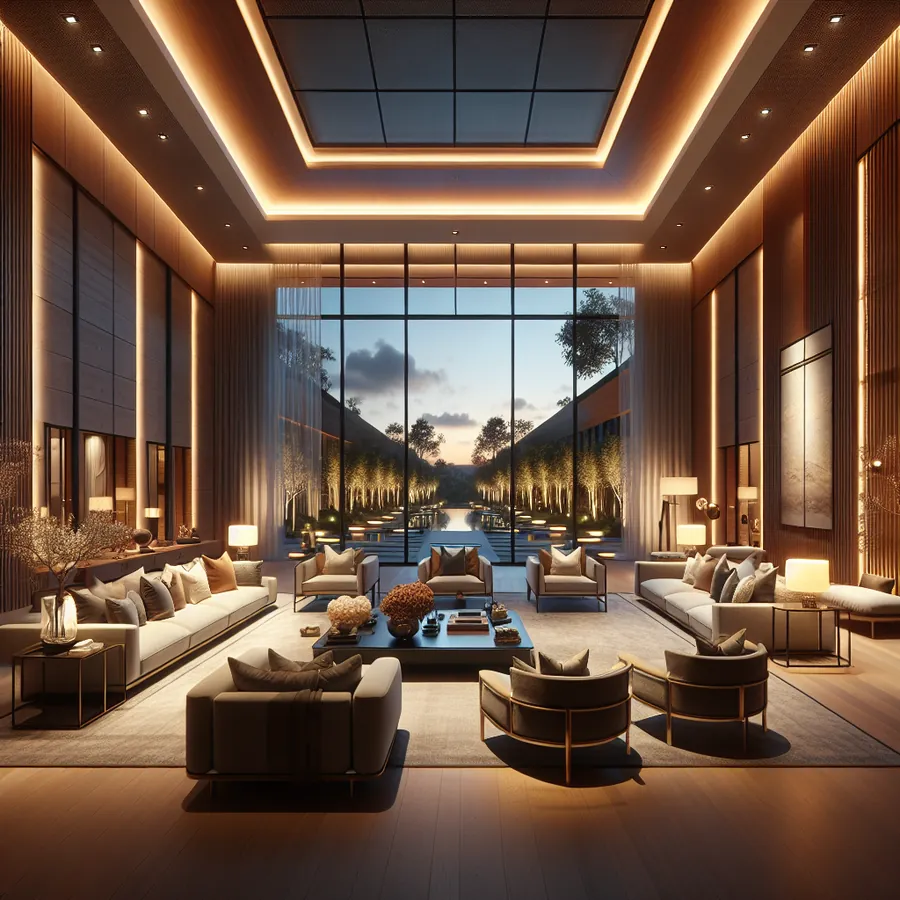
Imagine walking through your 8,000-square-foot estate as lights gracefully illuminate your path, shades adjust to the setting sun, and every zone responds to your presence—all orchestrated by a system that feels invisible yet utterly intelligent. This isn't a vision of the future; it's what RadioRA 3 multi-hub configurations deliver today for discerning homeowners who refuse to compromise on performance or aesthetics.

At IxomeAI, we've helped hundreds of homeowners and integrators navigate the complexities of large-scale RadioRA 3 deployments. As authorized HomeWorks dealers with deep expertise across Lutron's ecosystem, we understand that scaling RadioRA 3 beyond its single-processor limits requires strategic planning, precise execution, and insider knowledge that only comes from hands-on experience.

This comprehensive guide will walk you through everything you need to know about deploying RadioRA 3 across expansive residences—from understanding system architecture to implementing multi-hub configurations that perform flawlessly.

Understanding RadioRA 3 System Limits and When Multi-Hub Becomes Necessary

RadioRA 3 represents Lutron's most sophisticated residential lighting control system outside of HomeWorks QSX. However, every system has boundaries, and understanding these limits is crucial for proper planning.

Single Processor Capacity

Component Maximum Per Processor
Total Devices 100
Zones (Dimmers/Switches) 100
Pico Remotes 100
Occupancy/Vacancy Sensors 100
Sivoia QS Shades 100
HVAC Interfaces 1
Audio Interfaces 1
Repeaters 6

For homes exceeding 6,000 square feet or those with extensive automation requirements, these limits often prove insufficient. A typical luxury residence might require 150+ lighting zones, 40+ motorized shades, and dozens of sensors—clearly exceeding single-processor capacity.

Multi-Hub Architecture Overview

When your project demands exceed single-processor limits, RadioRA 3 supports multi-hub configurations where multiple processors operate as independent systems. While this differs from HomeWorks QSX's native multi-processor architecture (which we specialize in at IxomeAI), RadioRA 3 multi-hub setups can achieve remarkable results when properly implemented.

Configuration Best For Complexity Level
Single Processor Homes under 5,000 sq ft, <80 devices Standard
Dual Hub 5,000-10,000 sq ft, 80-180 devices Intermediate
Triple Hub 10,000-15,000 sq ft, 180-270 devices Advanced
Quad Hub+ 15,000+ sq ft, 270+ devices Expert

Step-by-Step Multi-Hub Integration Guide

Step 1: Strategic Zone Planning

Before purchasing a single device, map your entire home into logical zones. We recommend organizing by:

  1. Physical Wings/Floors: Each hub should ideally control a contiguous area to minimize cross-hub communication needs
  2. Usage Patterns: Group spaces used together (master suite, entertainment wing, guest quarters)
  3. RF Coverage: Plan repeater placement to ensure robust wireless communication within each hub's domain

Pro Tip: Create a detailed spreadsheet listing every fixture, switch location, and desired control point. This document becomes your project bible. Join our community thread on zone planning strategies for templates and expert advice.

Step 2: Network Infrastructure Requirements

Multi-hub RadioRA 3 installations demand robust networking:

Requirement Specification
Network Switch Managed, Gigabit, PoE+ recommended
VLAN Support Dedicated IoT/AV VLAN preferred
IP Addressing Static IPs for all processors
Internet Required for app access, firmware updates
Router Quality Enterprise-grade recommended

Each RadioRA 3 processor requires a wired Ethernet connection. Wireless connectivity is not supported for processors—only for field devices communicating via Clear Connect RF.

Step 3: Processor Placement and Installation

Install processors in climate-controlled spaces with:

  • Adequate ventilation (processors generate heat)
  • Central location relative to their controlled zones
  • Easy access for maintenance
  • Proximity to network infrastructure

Installation Checklist:

  • Mount processor in approved enclosure
  • Connect Ethernet cable (Cat6 minimum)
  • Verify network connectivity before proceeding
  • Document IP address and processor ID
  • Label all connections clearly

Step 4: Programming and Integration

Here's where multi-hub configurations require careful attention:

  1. Program Each Hub Independently: Using the Lutron Designer software, configure each processor as a standalone system first
  2. Establish Naming Conventions: Use prefixes (MAIN-, GUEST-, POOL-) to identify which hub controls each device
  3. Configure Integration Bridges: For third-party control, each hub requires its own integration protocol setup

Step 5: Unifying Control Through Third-Party Platforms

While RadioRA 3 hubs don't natively communicate with each other, unified control is achievable through:

Platform Integration Method Complexity
Control4 Lutron Driver Moderate
Crestron Home Direct Integration Moderate
Savant Native Support Moderate
Home Assistant Lutron Integration Advanced
Apple HomeKit Native (per hub) Simple

Critical Note: The Lutron app will display each hub separately. For true unified control, a third-party automation platform is essential. Explore our integration discussions for real-world implementation stories.

Compatibility Deep Dive

Device Compatibility Across Hubs

Device Type Cross-Hub Control Notes
Sunnata Dimmers Via integration only Cannot directly trigger scenes on other hubs
Pico Remotes Single hub only Must be paired to one processor
Occupancy Sensors Single hub only Triggers local scenes only
Sivoia Shades Via integration only Each shade pairs to one hub
Ketra Lighting Supported Requires additional planning
HVAC Interface One per hub Consider placement carefully

Third-Party Device Compatibility

Category Compatible Devices Integration Notes
Voice Control Amazon Alexa, Google Home, Apple Siri Each hub appears as separate "home"
Thermostats Lutron-compatible models One interface per processor
Audio Sonos (via integration) Requires third-party bridge
Security Via automation platform Indirect integration
Motorized Shades Sivoia QS, Palladiom Native support

Future-Proofing: AI and Smart Home Evolution

The smart home landscape is evolving rapidly, and your RadioRA 3 investment should anticipate tomorrow's innovations.

Matter Protocol Integration

Lutron has committed to Matter support, which will eventually enable:

  • Simplified multi-hub coordination
  • Broader third-party compatibility
  • Enhanced voice assistant integration
  • Potential cross-hub scene triggering

AI-Driven Automation Possibilities

As AI becomes more prevalent in home automation, expect:

  1. Predictive Lighting: Systems that learn your patterns and pre-adjust lighting
  2. Energy Optimization: AI analyzing usage patterns to reduce consumption
  3. Adaptive Scenes: Lighting that responds to weather, time, and occupancy intelligently
  4. Voice Understanding: More natural language processing for complex commands

Chat with our AI agent for tailored recommendations on future-proofing your specific installation. Our system understands RadioRA 3 architecture and can suggest configurations optimized for upcoming technologies.

When to Consider HomeWorks QSX

For truly expansive estates or those requiring native multi-processor communication, HomeWorks QSX remains the gold standard. As authorized HomeWorks dealers, we at IxomeAI can help you evaluate whether your project warrants the step up to QSX's capabilities:

Feature RadioRA 3 Multi-Hub HomeWorks QSX
Native Multi-Processor No Yes
Maximum Devices ~400 (4 hubs) 10,000+
Cross-Processor Scenes Via integration Native
Dedicated Keypads Limited Extensive
Commercial Applications No Yes
Price Point $$$ $$$$

Frequently Asked Questions

Q: Can I control all RadioRA 3 hubs from a single app? A: The native Lutron app displays each hub separately, requiring you to switch between "homes." For unified control, integrate with a third-party platform like Control4, Crestron, or Savant.

Q: How many RadioRA 3 processors can I install in one home? A: There's no hard limit, but practical considerations (programming complexity, integration requirements) typically make 4-6 hubs the reasonable maximum. Beyond this, HomeWorks QSX becomes more appropriate.

Q: Do RadioRA 3 hubs communicate with each other directly? A: No, each processor operates independently. Cross-hub automation requires a third-party control system or automation platform to bridge communication.

Q: Can a single Pico remote control devices on multiple hubs? A: Not directly. A Pico pairs to one processor only. However, through integration platforms, you can program a Pico press to trigger actions across multiple hubs.

Q: What happens if one hub goes offline? A: Only devices paired to that specific hub are affected. Other hubs continue operating normally, which actually provides a reliability advantage over single-processor systems.

Q: Is professional installation required for multi-hub setups? A: While technically possible for experienced DIYers, we strongly recommend professional installation. The complexity of multi-hub programming, network configuration, and integration setup benefits enormously from expert hands.

Expert Recommendations for Success

After implementing countless RadioRA 3 systems, here are our top recommendations:

  1. Invest in Network Infrastructure: A $500 managed switch prevents thousands in troubleshooting costs
  2. Document Everything: Future you (or your integrator) will thank present you
  3. Plan for Growth: Leave 15-20% headroom on each processor for future additions
  4. Consider Integration Early: Choosing your unification platform before installation streamlines programming
  5. Test Thoroughly: Verify every scene, every button, every sensor before project completion

Browse our community forums for ongoing discussions, troubleshooting tips, and inspiration from fellow RadioRA 3 enthusiasts.

Ready to Transform Your Large Home?

Navigating RadioRA 3 multi-hub configurations requires expertise that goes beyond standard installation knowledge. Whether you're a homeowner planning a dream estate or an integrator tackling your first large-scale RadioRA 3 project, having expert guidance makes all the difference.

Chat with our AI agent to get personalized recommendations for your specific square footage, device count, and automation goals. Our system draws on extensive RadioRA 3 and HomeWorks knowledge to provide actionable guidance.

For integrators and homeowners seeking comprehensive support, detailed system design assistance, and priority access to our expert team, explore IxomeAI Pro. Our premium tier includes advanced programming templates, direct consultation access, and exclusive resources that transform complex projects into seamless successes.

Your large home deserves lighting control that matches its grandeur. With proper planning and expert guidance, RadioRA 3 multi-hub configurations deliver exactly that.

Ready to go Pro?

Priority agent access, done-for-you upgrades, and a real quote for your home.

Let's Talk with Einstein