
HomeWorks QS Palladiom Shading Advanced Control: The Complete Expert Guide to Precision Light Management
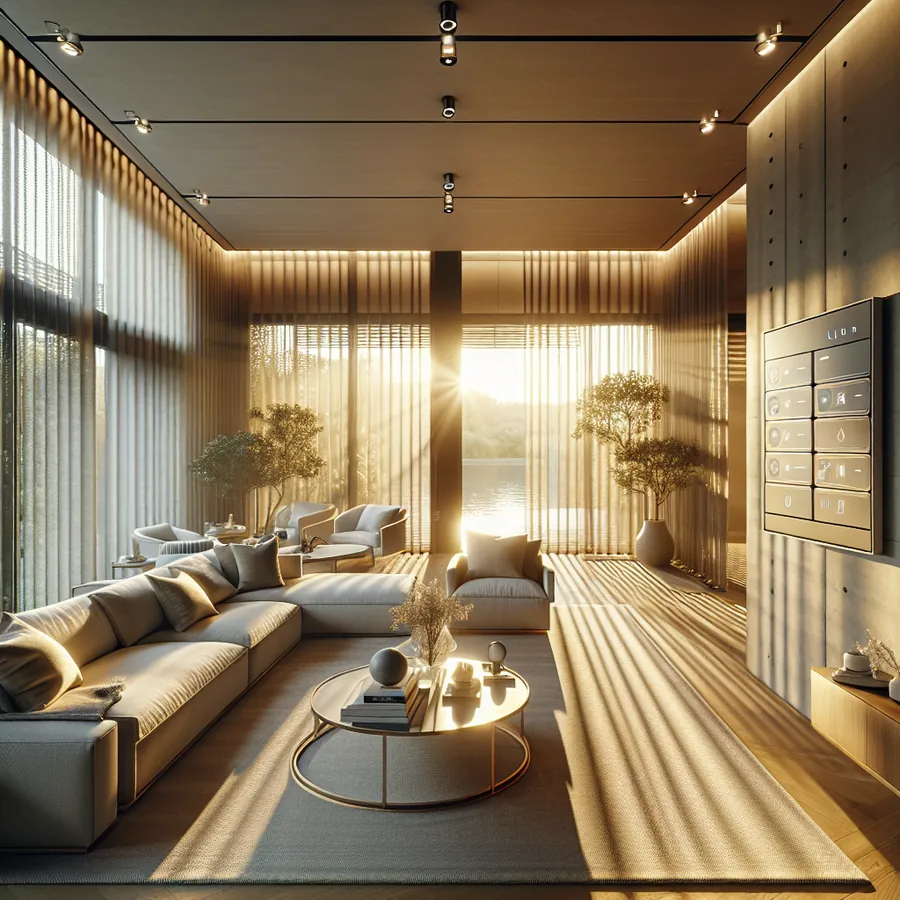
Imagine walking into your living room as the afternoon sun streams through floor-to-ceiling windows. Without lifting a finger, your shades glide silently to the perfect position—blocking glare while preserving your view of the garden. This isn't science fiction; it's the everyday reality of HomeWorks QS Palladiom shading advanced control, Lutron's flagship solution for discerning homeowners who refuse to compromise on aesthetics, performance, or precision.
As certified HomeWorks dealers with years of hands-on experience, we've seen firsthand how Palladiom shading transforms luxury residences from impressive to extraordinary. But unlocking its full potential requires understanding the sophisticated control capabilities that set this system apart from conventional motorized shades. Let's dive deep into everything you need to know.
Why Palladiom Represents the Pinnacle of Automated Shading
The Palladiom shading system isn't just another motorized window treatment—it's an architectural statement engineered for silent operation, precise positioning, and seamless integration with your entire smart home ecosystem. The advanced control features enable:
- Whisper-quiet operation at less than 35 dB
- 1% positioning accuracy for exact light control
- Synchronized movement across multiple shades
- Astronomical timeclock integration for sunrise/sunset automation
- Scene-based programming that coordinates lighting, shading, and climate
System Compatibility: What Works with Palladiom Advanced Control
Before diving into integration strategies, understanding compatibility is essential. Here's a comprehensive breakdown:
Core System Requirements
| Component | Requirement | Notes |
|---|---|---|
| Processor | HomeWorks QS Processor | Required for advanced programming |
| Software | Designer Software 12.0+ | Latest version recommended |
| Network | Dedicated VLAN recommended | Ensures reliable communication |
| Power | 120V or 277V depending on model | Verify during site survey |
Compatible Control Interfaces
| Interface Type | Model Series | Integration Level |
|---|---|---|
| Keypads | Palladiom, Alisse, Architrave | Full native control |
| Touch Screens | Lutron Touch Screen | Complete scene access |
| Mobile App | Lutron Connect | Remote control + scheduling |
| Voice Control | Amazon Alexa, Google Home, Apple HomeKit | Voice commands + routines |
| Third-Party | Control4, Crestron, Savant | Via integration protocols |
Shade Motor Compatibility
| Motor Type | Max Width | Fabric Weight Capacity | Best Application |
|---|---|---|---|
| Palladiom Standard | 144" | Up to 15 lbs | Most residential |
| Palladiom XL | 192" | Up to 25 lbs | Large windows |
| Sivoia QS Triathlon | 96" | Up to 8 lbs | Budget-conscious |
Step 1: Establishing Your Control Hierarchy
The foundation of advanced Palladiom control lies in proper zone organization. We recommend structuring your system as follows:
- Create logical areas based on room function (not just physical location)
- Group shades by orientation (all east-facing windows together)
- Establish master zones for whole-home control scenarios
This hierarchy enables sophisticated automation while maintaining intuitive manual control.
Step 2: Programming Precision Preset Positions
Unlike basic systems with simple open/close commands, Palladiom supports multiple preset positions per shade:
- Access the HomeWorks Designer software
- Navigate to the specific shade device
- Select "Preset Positions" from the configuration menu
- Define up to 10 custom positions (we recommend at least 4):
- Full Open (100%)
- Privacy (typically 25-35%)
- Glare Control (50-65%)
- Full Close (0%)
Pro Tip: For rooms with multiple shade types (roller + drapery), program coordinated presets that move both simultaneously to complementary positions.
Step 3: Configuring Astronomical Timeclock Events
The astronomical timeclock is where Palladiom truly shines. Rather than fixed schedules, your shades respond to actual sunrise and sunset times:
- Verify your processor has correct GPS coordinates
- Create a new timeclock event
- Select "Astronomical" as the trigger type
- Choose sunrise, sunset, or offset (e.g., "30 minutes before sunset")
- Assign the appropriate scene or shade action
- Set seasonal adjustments if desired
This ensures your shades always respond appropriately regardless of season—no manual schedule updates required.
Step 4: Building Integrated Scenes
The magic happens when shading coordinates with lighting. Here's our recommended scene structure:
Morning Wake Scene:
- Bedroom shades: Open to 50% over 3 minutes
- Bathroom shades: Open to 75%
- Bedroom lights: Slowly raise to 30%
Evening Entertainment Scene:
- Living room shades: Close to 15%
- Media room shades: Full close
- Accent lighting: Activate at 40%
- Overhead lights: Off
Away/Vacation Scene:
- Randomize shade positions throughout day
- Simulate occupancy patterns
- Coordinate with lighting automation
Step 5: Implementing Sensor-Based Automation
For truly intelligent control, integrate environmental sensors:
| Sensor Type | Function | Recommended Placement |
|---|---|---|
| Light Sensor | Adjusts shades based on lux levels | South-facing exterior |
| Temperature Sensor | Closes shades when room overheats | Interior, away from vents |
| Occupancy Sensor | Activates scenes on room entry | Ceiling mount, entry points |
Configure sensor thresholds carefully—we typically recommend a 15-minute delay before sensor-triggered shade movements to prevent constant adjustments on partly cloudy days.
The Future: AI and Machine Learning in Shading Control
The smart home industry is rapidly evolving, and Palladiom shading is positioned at the forefront of this transformation. Here's what forward-thinking homeowners should anticipate:
Predictive Automation
Emerging AI systems analyze patterns in your behavior, weather forecasts, and energy consumption to predict optimal shade positions before you even think about them. Imagine your system learning that you prefer shades at 40% during your 3 PM video calls and automatically adjusting.
Energy Optimization Intelligence
Next-generation integrations will coordinate shading with HVAC systems and real-time utility pricing. During peak electricity rates, AI could automatically deploy shades to reduce cooling loads—potentially saving hundreds annually while maintaining comfort.
Voice AI Evolution
Beyond simple commands like "close the shades," future voice interfaces will understand context: "Make it comfortable for reading" or "I'm getting glare on my screen" will trigger intelligent, multi-device responses.
Integration with Wellness Systems
Circadian rhythm optimization is gaining traction. Future Palladiom integrations may coordinate with health wearables to adjust natural light exposure based on your sleep patterns and wellness goals.
Want to explore how these emerging technologies might enhance your specific installation? Chat with our AI agent for tailored setup recommendations based on your home's unique configuration.
Troubleshooting Common Advanced Control Issues
Even the best systems occasionally need attention. Here are solutions to frequent challenges:
Issue: Shades not responding to timeclock events
- Verify processor time zone settings
- Check that GPS coordinates are accurate
- Ensure timeclock is enabled (not just programmed)
Issue: Shades moving out of sync
- Recalibrate shade limits
- Check for mechanical obstructions
- Verify all shades in group have identical travel times programmed
Issue: Third-party integration dropping connection
- Confirm IP addresses are static
- Check VLAN configuration
- Verify integration protocol version compatibility
For complex issues, our IxomeAI community threads offer peer support from experienced installers and homeowners.
Frequently Asked Questions
What is the maximum number of shades a single HomeWorks QS processor can control?
A single HomeWorks QS processor can control up to 128 devices, including shades. For larger installations, multiple processors can be linked together, supporting virtually unlimited expansion while maintaining synchronized control across the entire system.
Can Palladiom shades be controlled when I'm away from home?
Yes, through the Lutron Connect app, you have complete remote access to your Palladiom shading system from anywhere with internet connectivity. This includes manual control, scene activation, and schedule modifications. Remote access requires proper network configuration and a Lutron Connect account.
How do Palladiom shades integrate with Apple HomeKit?
HomeWorks QS integrates natively with Apple HomeKit through the Lutron Connect Bridge or directly via the processor's HomeKit support. Once configured, you can control shades through the Apple Home app, Siri voice commands, and include them in HomeKit automations and scenes alongside other smart home devices.
What maintenance do Palladiom motorized shades require?
Palladiom shades require minimal maintenance. We recommend annual inspection of fabric condition, occasional dusting, and verification that limit settings remain accurate. The motors are designed for decades of reliable operation. Battery-powered models require battery replacement approximately every 3-5 years depending on usage frequency.
Can I add Palladiom shades to an existing HomeWorks QS system?
Absolutely. Palladiom shades integrate seamlessly with existing HomeWorks QS installations. Your authorized dealer can add new shades to your current processor, incorporate them into existing scenes, and program new automation sequences without disrupting your current setup.
Maximizing Your Investment
Palladiom shading represents a significant investment in your home's comfort, efficiency, and value. To ensure you're extracting maximum benefit:
- Schedule annual system reviews with your dealer to optimize programming
- Document your scenes so household members understand available options
- Stay current on firmware updates that add new capabilities
- Explore integration opportunities as you add other smart home systems
Our community discussion on seasonal shade optimization offers excellent insights from homeowners who've fine-tuned their systems over multiple years.
Ready to Elevate Your Shading Control?
Whether you're planning a new Palladiom installation or looking to unlock advanced features in your existing system, the possibilities are genuinely exciting. The combination of precision engineering, sophisticated programming capabilities, and seamless integration creates an experience that transforms how you interact with natural light.
Have specific questions about your installation? Our AI assistant is available 24/7 to provide personalized guidance based on your system configuration and goals. Simply describe your setup and objectives, and receive tailored recommendations instantly.
